STRIDE_X
About 11 min read
STRIDE_X is a walking app for iPhone. You can create courses and plans, and track your walks. While tracking, it shows your pace, lets you reset your target pace, and shows convenience stores and toilets along your course. It is made by a working engineer who walks 100 km ultra walks.
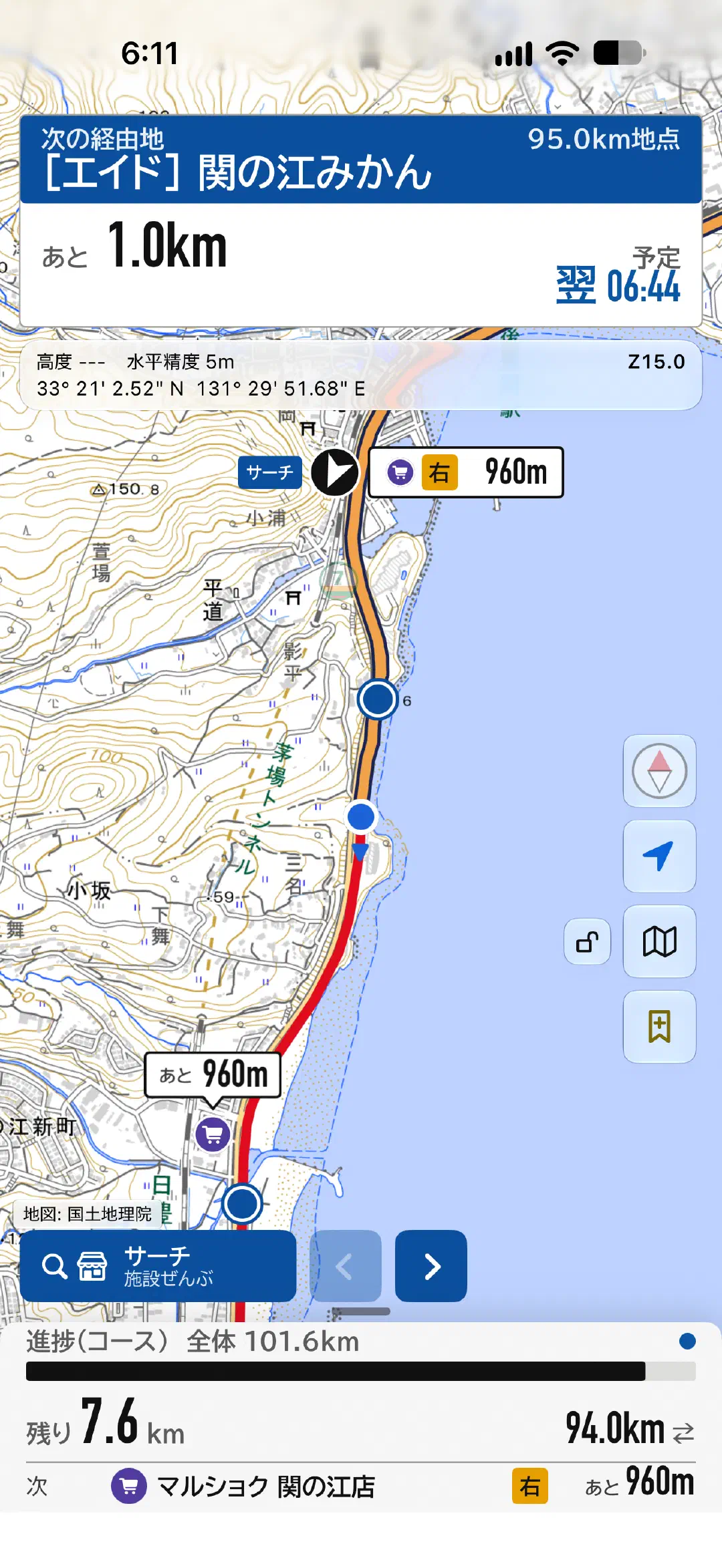
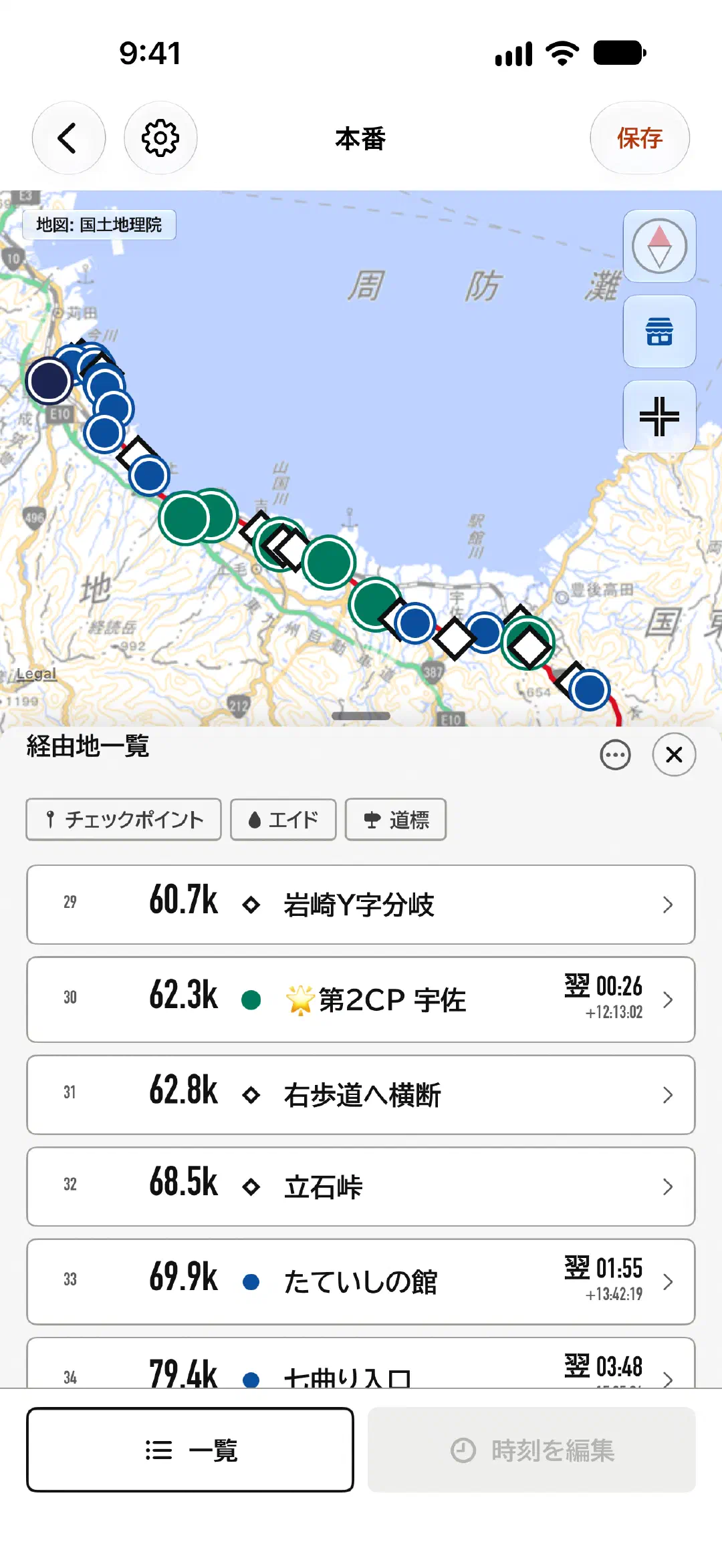
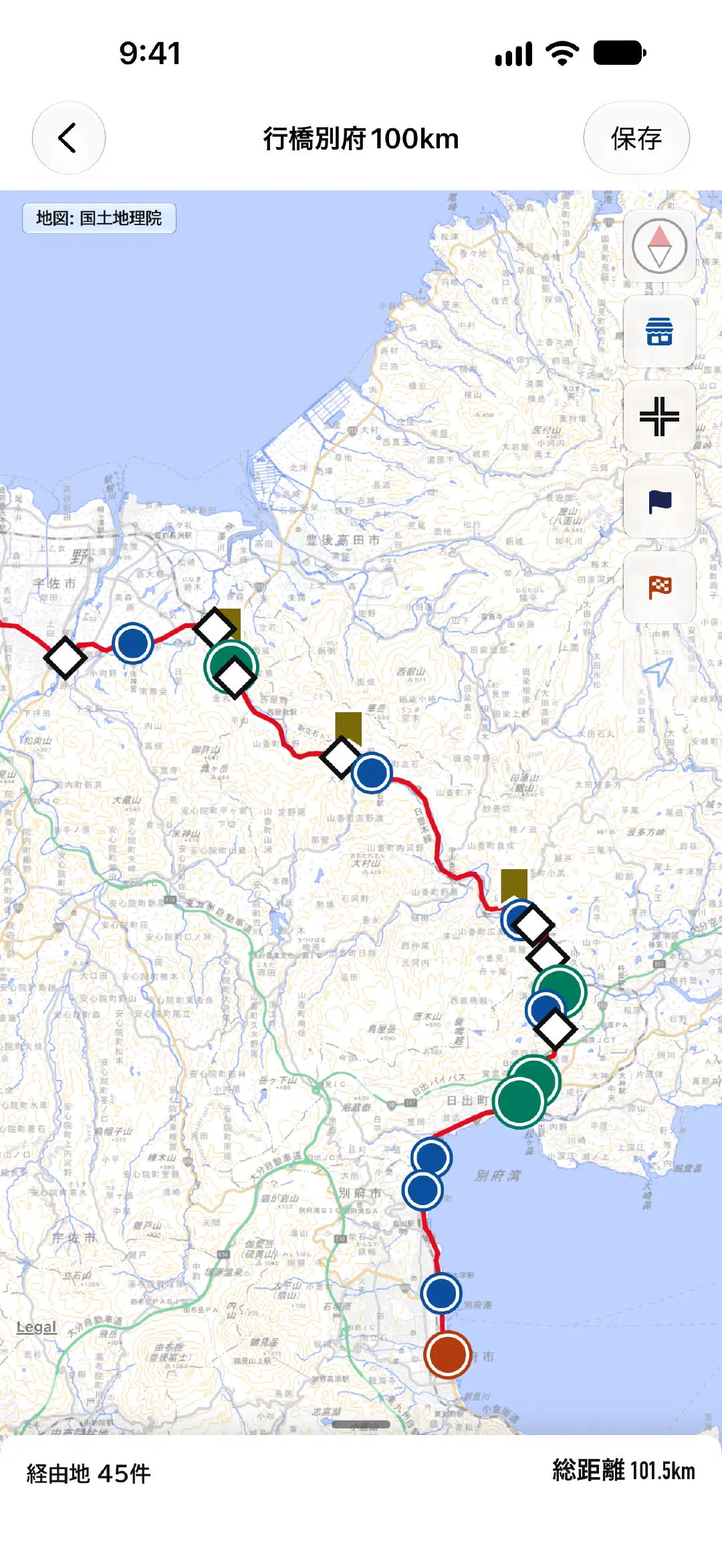
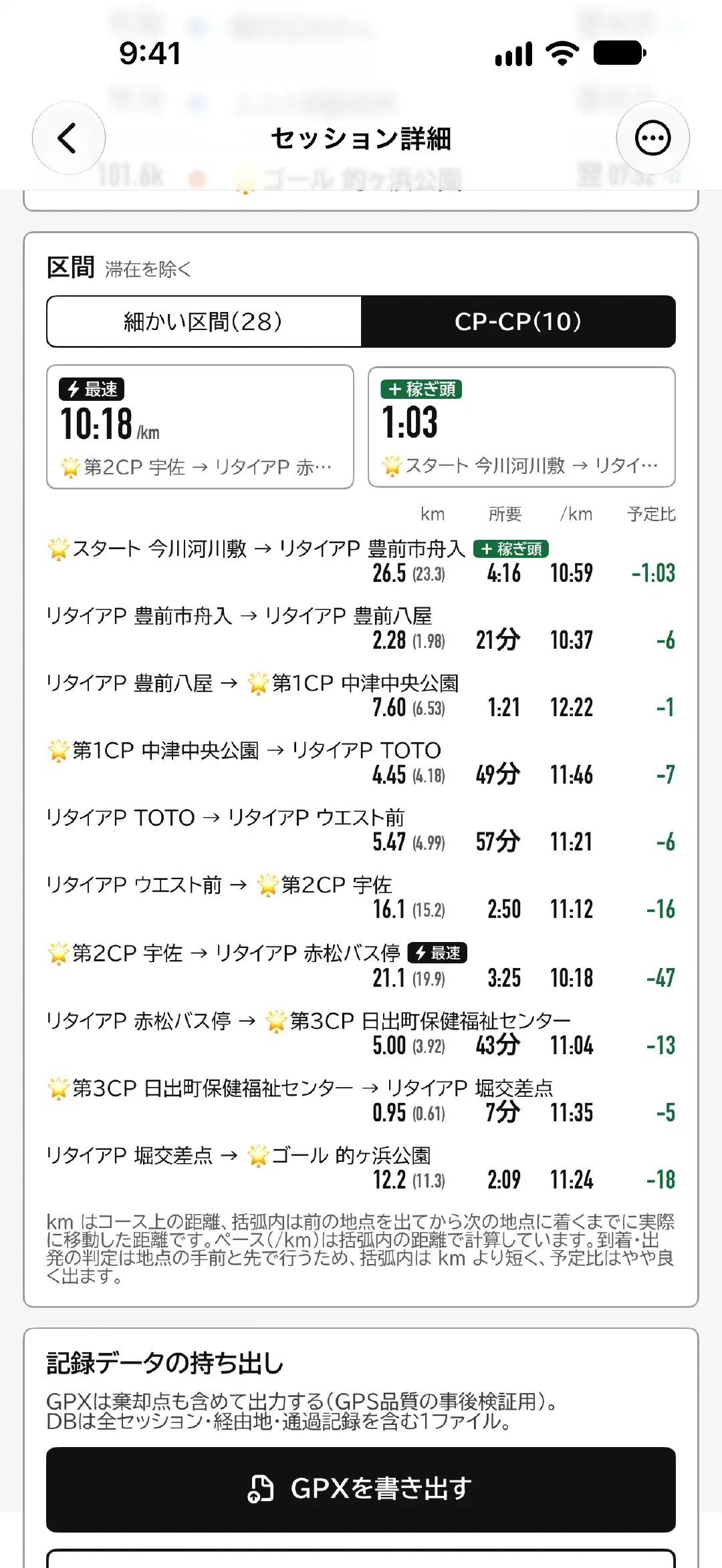
Overview
Drawing on the developer’s own experience, STRIDE_X was built around what you need to walk a 100 km ultra-walk course through the night. Once you have viewed an area of the map, it stays on your device, so from then on the app works on GPS alone, even with no signal. You can create courses in the app, or import them from GPX or KML data, and add, edit or delete the aid stations and checkpoints on a course later.
Made for walking in Japan
STRIDE_X is built first and foremost for walking in Japan. The screens are in English, but some things are Japanese by design.
- Voice guidance is in Japanese.
- The maps you can keep on your device, and the built-in place data, cover Japan only. Outside Japan, Apple Maps is used as the base map.
- Distances are shown in kilometers.
If you are coming to Japan to walk an ultra, this is exactly where STRIDE_X is strongest. 160,000 convenience stores, toilets, supermarkets and drugstores across Japan are built into the app, and you can find them along your course even with no signal.
What we left out
There are no online accounts and no integration with the Health app. The only times the app goes online are to fetch maps, suggest place names, search for places and addresses, use “Follow roads” while building a course, and make in-app purchases. This keeps the system simple, but the main reason is so that you can use the app without worrying about the battery, even where there is no signal.
How it differs from typical tracking apps
A single session may run past 20 hours and cross into the next day.
Cutoffs can be set for the next day or the day after, and times on screen carry their date.
If the app crashes partway through, it always picks up the unfinished activity when it starts again.
When GPS drops out or you leave the course, it shows you instead of hiding it.
When we examined a past 100 km walk (recorded every second, 18 h 19 min),
there were 76 gaps longer than one second, totaling 56 minutes (about 5% of the walk).
You can’t build on the assumption that it never drops out.
Your records stay on your device, and nothing tracks you.
Your walking records are never sent to a server.
There are no analytics tools (Firebase, Sentry and the like), no ads, and no use of the Identifier for Advertisers (IDFA).
The only external component the app uses is one for saving your records, and it makes no network connections.
(Network connections for showing maps and so on are described in our Privacy Policy.)
Main features
Draw a course
Create the route you’ll walk on the map. There are three ways to draw it: tap the map to connect points, trace a line with your finger, or enter a distance from the start. You can also import GPX or KML files handed out by events to make a course. Courses you create can be exported as GPX files, so you can share them with other STRIDE_X users or use them in any other app that handles GPX.
For sections where you want to connect points along the roads, such as in town, you can choose to follow the roads each time.
You can also search by place name, address or shop name, and move the map there. With no signal, it searches the place names and shop names built into the app.
Decide when you’ll be where
Enter a target finish time, and the app divides it into target paces for each segment, according to distance. Cutoffs are kept separately as deadlines, so you can see when you are “behind target, but still ahead of the cutoff.” Cutoffs can be set across dates.
What you see while walking
The tracking screen shows the distance to the next point, how many minutes you are ahead of or behind plan, your estimated finish time, and your margin to the cutoff.
The text is large, and the colors follow the conventions for aircraft instruments (FAA AC 25-11B) and the JIS safety colors. Red means past the cutoff, yellow means little margin, green means margin to spare, white and black are measured facts, and blue is the fixed plan. The only aim is to show what a tired person, whose head has stopped working, can judge at a glance.
At night you can dim the whole screen in steps. Rather than swapping colors like dark mode, it lowers the brightness of the screen itself.
Reset your target on the move
If delays or a long break throw off your plan, you can enter a new target while tracking. Enter how many hours (or minutes per km) you’ll take to reach a given point, and the target pace for that segment is rebuilt. Before applying it, you can check how the estimates for the next point and the finish will change.
Find supplies ahead (Search)
On the tracking map, convenience stores and toilets ahead of you show the remaining distance along the course, such as “1.2 km to go.” Even when the next place is off screen, its direction and distance appear at the top right of the screen. You can show only convenience stores or only toilets, or only places on the right or left side of the road. Shops that close at night are marked with a moon.
160,000 convenience stores, toilets, supermarkets and drugstores across Japan are built into the app, so this works with no signal too.
Alerts by sound and voice
When you leave or return to the course, and when you approach or arrive at an aid station or cutoff, the app tells you with sound effects and voice (in Japanese). That way you notice even with your phone in your pocket, walking without looking at the screen. It sounds even in Silent mode. From 22:00 to 6:00 it switches to night sounds. Sound and vibration can each be turned off in Settings.
Voice guidance at turns
At forks and corners you mustn’t miss, you can place a “turn point.” Turn points always show their name on the map, and a heads-up appears on screen from 1 km before. If you set the direction for a turn point (right, left, straight, footbridge and so on), the app guides you by voice twice as you approach.
Automatic records of arrivals and stays at waypoints
Place aid stations and cutoffs on your course, and the app automatically detects and records when you approach, arrive and leave. The area that counts as “arrived” is set automatically for each waypoint, and you can widen or narrow it for each one.
Mark places as you walk (Marks)
Press the button once while tracking to save the place and the time. Press and hold to point to a place on the map and mark it. You can mark a corner you have just passed, or a shop you can see ahead. On the course-building screen, your marks appear as pins, so corners or rest spots you found on a trial walk can be placed as points just as they are.
You can look back over your marks in a list from Home, add notes to them, and delete the ones you no longer need.
Maps that stay when you’re offline
Any area of the map you have viewed is saved on your device and can be shown again with no signal. However, downloading maps in advance is not supported. For a course you are walking for the first time, open the map over it once before you set off.
After you finish
When you finish, the day’s walk is summed up on a single card. The hours you walked become its background gradient. From the Activity details screen, you can export a GPX file and pass it to other apps. You can also delete activities one at a time.
Distances you walk become titles
Walk a half-marathon or full-marathon distance, an ultra (50 km), 100 km or 100 miles, and a title for that distance appears on your icon on Home. The color of its ring changes with the number of times you’ve walked that distance: blue, bronze, silver, gold, then platinum. You choose which title to show in your profile, and you can also show none.
You can also change the color of the Home header in your profile.
Requirements
| OS | iOS 26 or later |
|---|---|
| Devices | iPhone (iPad and Apple Watch are not supported) |
| Languages | Japanese and English (on-screen text; voice guidance is in Japanese only) |
| Region | Made for Japan (the built-in place and place-name data, and the maps you can keep on your device, cover Japan. Outside Japan, Apple Maps is shown) |
| Offline use | Tracking, arrival detection, saving activities and building courses all work offline. You can track in Airplane Mode |
Some features don’t work offline: map areas you have never viewed (shown blank), place name suggestions (switch to the offline place-name data), place and address search (searches the built-in place names and shop names), and “Follow roads” (switches to straight lines).
Pricing
Free to use. No ads, and no subscriptions.
Courses, plans and tracking are all available for free, with a limit of 5 saved courses. If you want to keep more, there is a one-time purchase, STRIDE_X Pro (it also lets you change the app icon and set your own image in the Home header).
There are also in-app purchases for supporting the developer, but buying them doesn’t change any features (the number of times you’ve given support is shown on the Pro screen).
Download
We are preparing for release on the App Store. Once the release date is set, we will announce it on this page.
Background
On October 11, 2025, I walked the Yukuhashi–Beppu 100 km Walk. It was my third time at Yukuhashi–Beppu, and my sixth event of 100 km or more. We started at noon, and I finished at 6:25 the next morning: 18 hours 19 minutes, 101 km. Starting at noon means that night always falls partway through. Most of the night is spent walking.
The hardest part is sleepiness. Stomach trouble and sore feet come too, but those depend on the person. Sleepiness probably comes for everyone.
And while you are sleepy, you keep making choices, one after another. Rest here, or go one more kilometer first? What to eat? Is there anything nearby at all? My laces are too tight and my feet hurt. Stop and fix them now, or keep going to the next aid station? Each choice is small, and none of them decides the outcome on its own. Repeat them a few hundred times, and at the end you have either arrived or you haven’t.
After the walk, I read back through the record. The log that should have had an entry every second had 76 gaps longer than a second. 56 minutes in total. About 5% of the walk had gone unrecorded. I had assumed it never dropped out. It did. And while I was walking, I hadn’t even noticed.
When you are too sleepy to think, the moment the options in front of you look endless, you can no longer choose. You can’t even notice what you’ve failed to notice.
100 km, or one in 4.2 billion — you get there the same way.
STRIDE_X is not a tool for handing you answers. It focuses on narrowing what looks endless down to “this way, or that.” How many minutes ahead of plan am I? Will I make the next cutoff? Do I keep going, or rest?
And it tells you, by sound and on screen, when something is wrong or unexpected. If no position is coming in, it says so; if you’ve left the course, it says so. That is more useful than pretending nothing has dropped out and carrying on counting the distance.
When I’m walking, I want a tool that lets me check what’s going on around me instantly and easily. That is why I started building STRIDE_X.
4.2 billion is 2 multiplied by itself 32 times. Choose one of two, 32 times, and you reach one outcome among 4.2 billion. STRIDE_X was built by the same repetition: lay out screen designs side by side, and decide which one to use. As of October 2026, counting only the decisions on record as two-way choices, there have been 62 of them: one in 4.6 quintillion.